


Skip to content
FleetZip
DMS platform · technical deep dive

Inside the
platform.

You've seen the essentials. Here's the engineering behind it — route optimization, control tower, driver app, integrations and the metrics that back every decision your operation makes.

In a hurry? See the short, direct version
15 sreal-time position
30+integrations and webhooks
5 yearsauditable history

The operation, end to end

From the control tower to the proof of delivery — the modules your team uses every day.

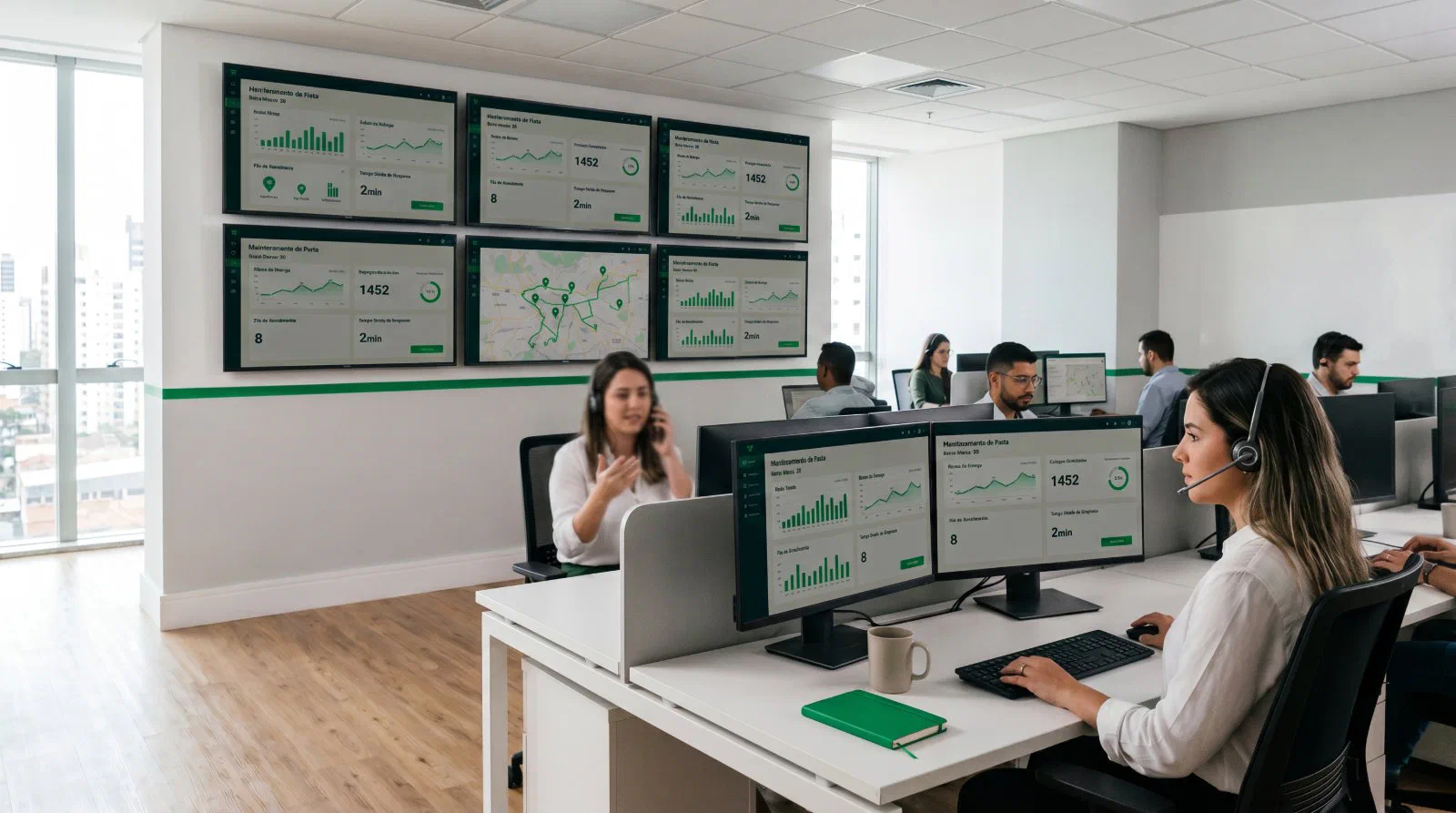
FleetZip control tower — operators and dashboards
Operation in progress
En route42
SLA at risk3
Completed187

Control tower

See everything. Decide in seconds.

Live map, KPIs and alerts on one screen. No refresh, no spreadsheet, no WhatsApp group.

  • Driver position updated every 15s
  • Proactive alert when an SLA is at risk
  • Re-routing and driver swap in 1 click
  • Chat and voice with the driver straight from the stop
How the tower speeds up decisions

Every alert comes with the system's suggested action — swap the driver, split the route, move a stop up — and the coordinator just approves. Average response time to an incident drops from hours to 90 seconds.

See the tower in action

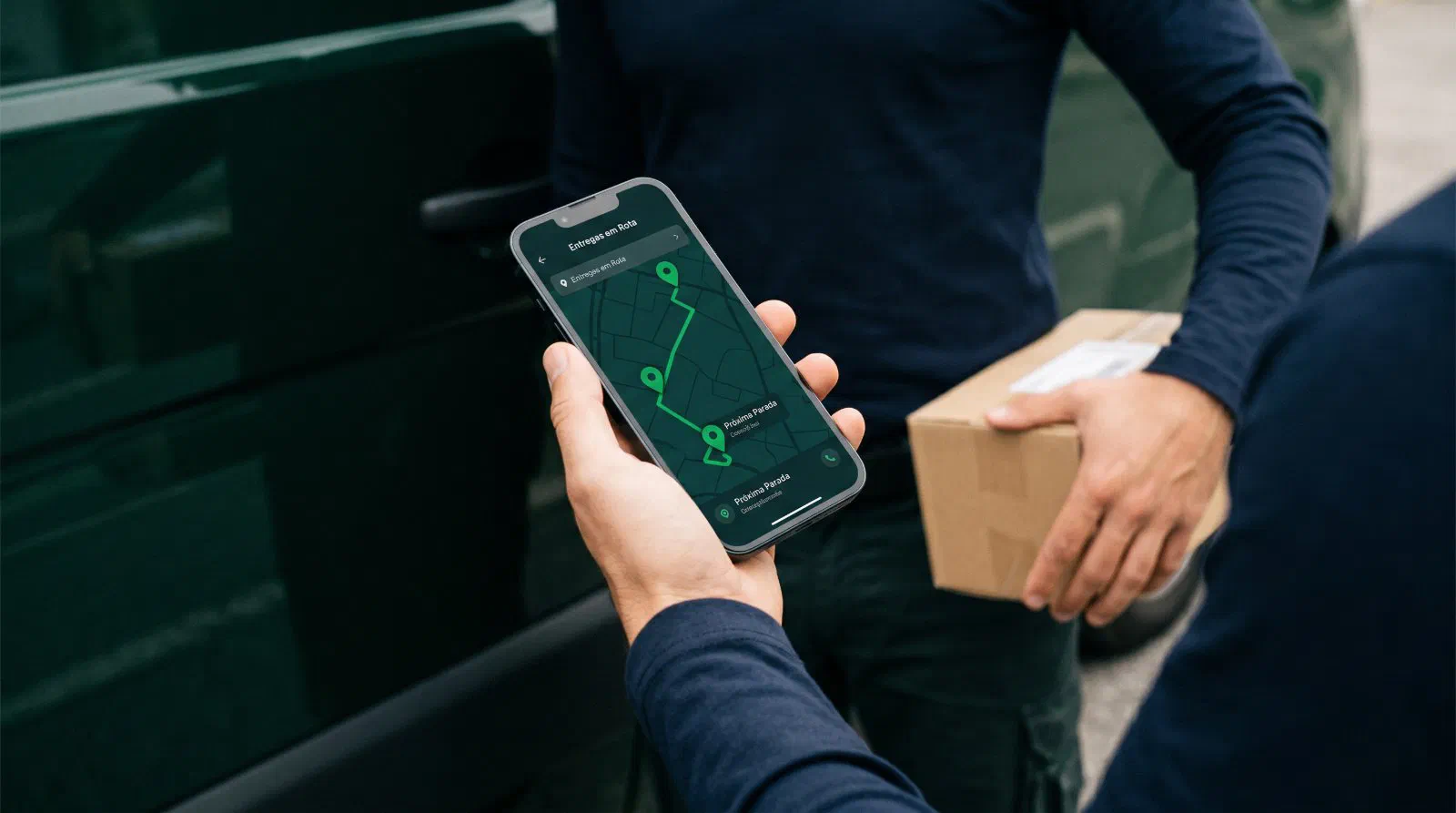
Driver app

Field execution, without friction.

Everything the driver needs fits on one screen. Works offline, delivers automatic proof of delivery.

  • Optimized sequence with built-in navigation
  • Package scan, photo and signature per stop
  • Incident logging with reason and photo
  • Chat and voice straight to support
  • Offline mode with automatic sync
What the driver sees at each stop

Address, contact, time window, customer notes and product. A single "I've arrived" button — records time, storefront photo and GPS. The proof of delivery is generated and sent to the recipient automatically.

Meet the app
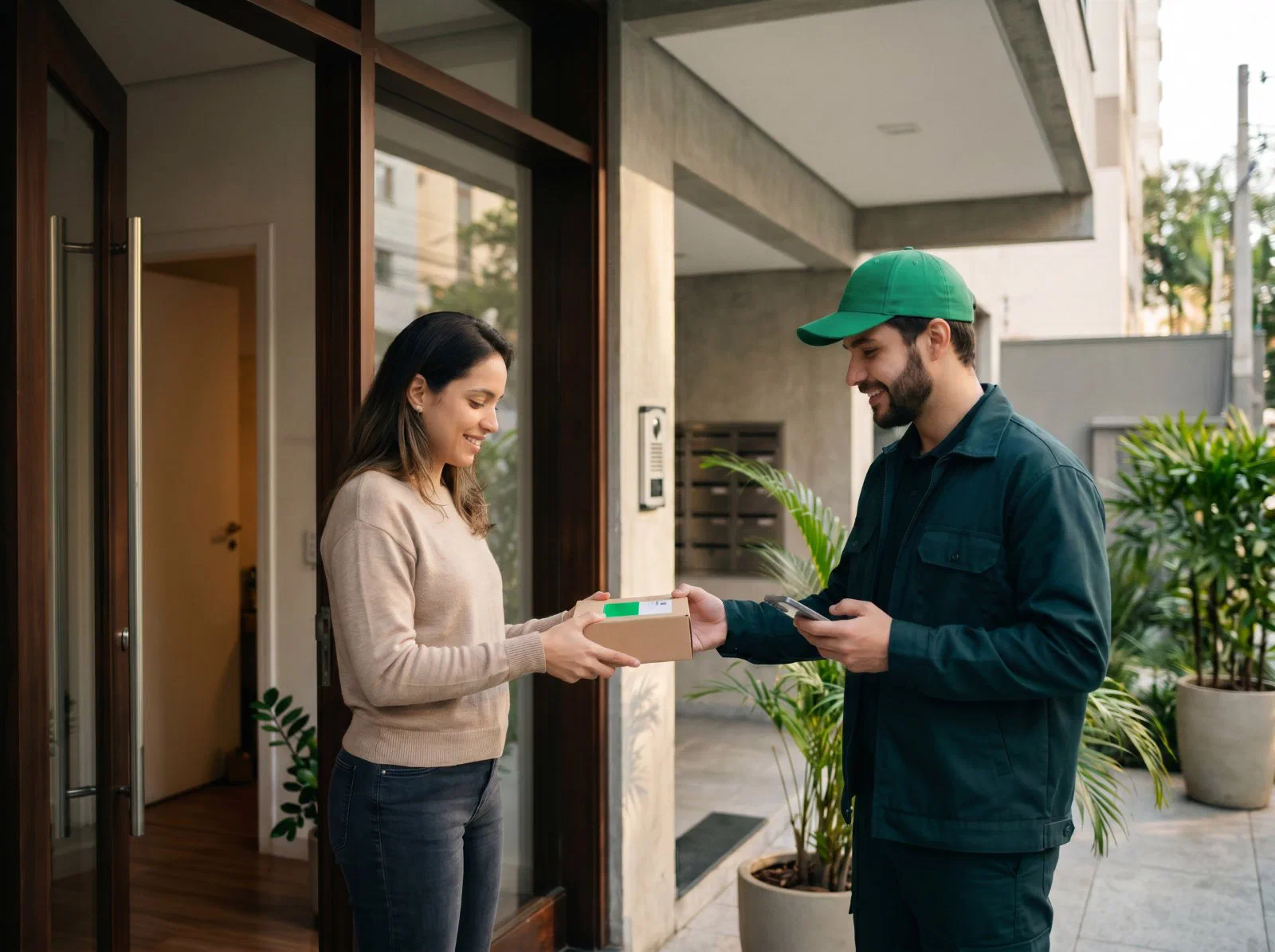
FleetZip driver handing a package to the end customer
Delivery confirmed 3:42 PM · photo + signature
FZ-RTE-2086 Stop 19 · Vila Madalena
19 / 24 stops
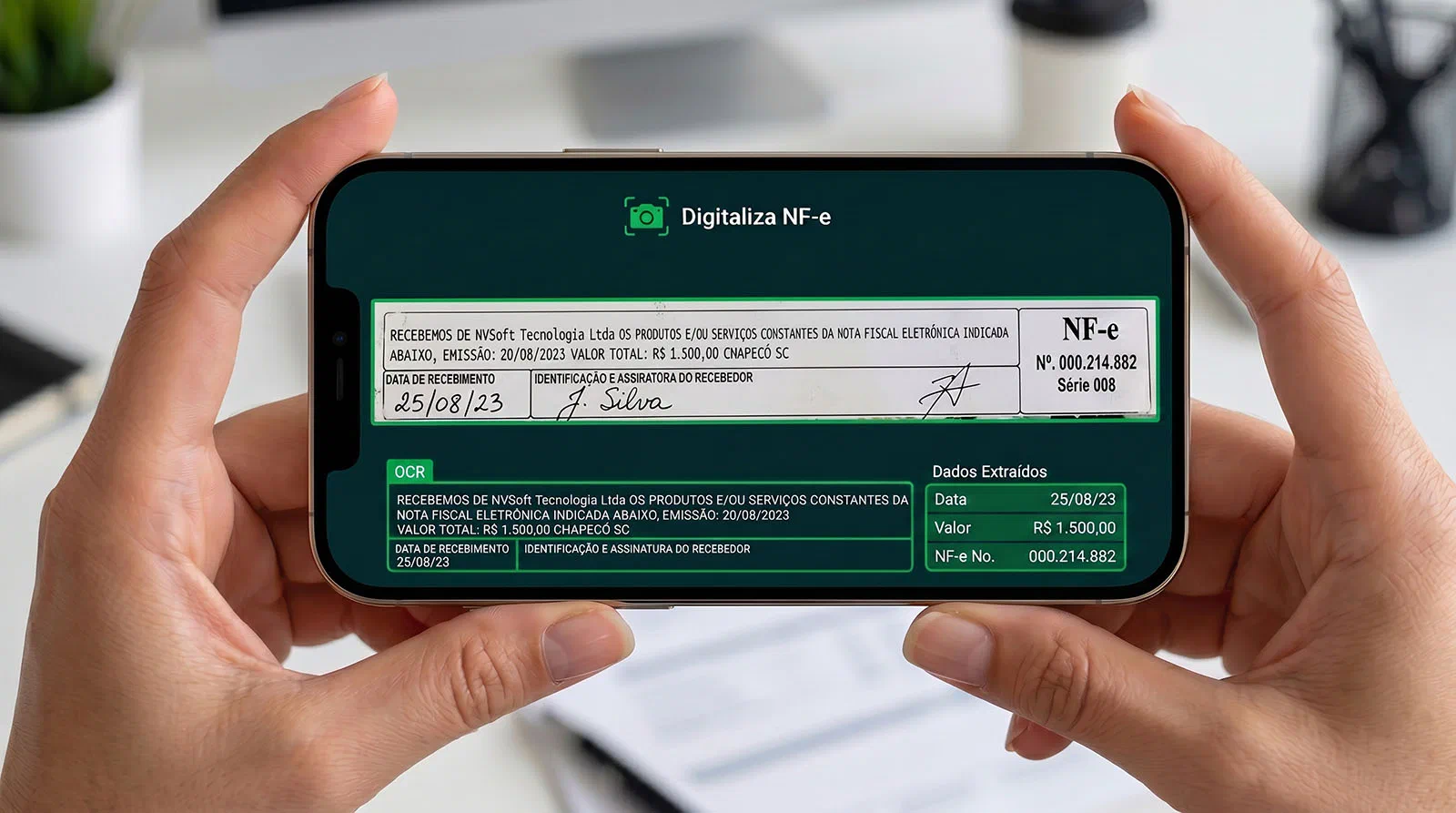
FleetZip app digitizing an NF-e delivery slip — OCR highlighting the fields and the automatically extracted data
OCR + AI
Receipt cleared NF-e 000.214.882 · reconciled

POD digitization

Stop typing in delivery slips. AI reads them for you.

Point the camera at the signed NF-e delivery slip. OCR and AI read it, cross-check it and clear the receipt — no manual typing.

  • Reads from a photo — even crumpled or handwritten slips
  • Extracts number, series, date and amount straight from the invoice
  • AI reconciles slip, invoice and delivery in seconds
  • Receipt cleared automatically, no rework
  • Searchable digital proof, audit-ready
How the AI reads and checks the slip

The camera captures the signed slip and OCR transcribes printed and handwritten fields. The AI cross-checks the data against the source invoice — access key, amount and recipient — and flags mismatches. The receipt is cleared and the proof stays attached to the delivery, searchable by number, date or customer.

See digitization in action

Reports and metrics

Decisions based on data, not gut feeling.

Ready-made metrics on the dashboard. Exports for your BI. Raw data on the API.

  • Productivity — stops/hour, vehicle occupancy, working hours
  • Cost — per stop, per km, per driver, per customer
  • Service level — SLA, OTIF, window time
  • Incidents — reason, recurrence, handling time
  • Fleet — km driven, fuel use, maintenance, availability
Export as: CSV PDF XLSX JSON Webhook
Real examples of how reports are used

Operations use the SLA dashboard to spot zones with recurring delays. Finance plugs the CSV into the ERP to bill subcontractors per stop. Sales consumes the API to power the end-customer portal.

FleetZip dashboard on a laptop — coordinator tracking metrics
Average time per stop 12 min −18%
Stops / hour · driver 4.2 +24%
FleetZip dashboard · refreshed every 15s

The whole platform

The complete feature set — and how it adapts to each type of operation.

Features

Every capability, in detail.

Six feature groups. Hover over any item for the technical detail of each function.

01

Planning and route optimization

Build routes with a single click — or take the helm manually.

  • Automatic optimization by SLA, window and zoneOur own VRPTW algorithm, trained on millions of real stops.
  • Manual routing with drag and dropDrag between routes, travel times recalculated in real time.
  • Constraints by capacity, weight and volumeSet limits per vehicle and per cargo type.
  • Multi-DC and multi-depotEach DC with its own network — or consolidated in a single view.
  • Replanning mid-routeAdd, remove or reorder stops with the driver already in the field.

02

Real-time operation

See every movement the moment it happens.

  • Live map with driver positionUpdated every 15s. Full trip history preserved.
  • SLA-at-risk alertsNotifications 30 min before the deadline blows.
  • Re-routing in 1 clickThe system suggests the best alternative; you approve.
  • Dashboards configurable per roleDirectors see cost. Coordinators see incidents. Support sees customers.
  • Incident logging with reasonCustomizable catalog, with photo and location attached.
03

Drivers and communication

The driver delivers. Support talks. No side-channel WhatsApp.

  • iOS + Android app with offline modeSyncs when the connection returns — nothing gets lost.
  • Optimized stop sequenceBuilt-in navigation with Waze, Google Maps or native.
  • Package scan + photo + signatureDigital proof stored for 5 years.
  • Chat and voice with supportAudio, text and photos straight from the stop — on record.
  • Driver types (employee, contractor, owner-operator)Working-hours, cost and pay rules per profile.
04

Zones, restrictions and safety

Every neighborhood with its rules. Every zone with its protocol.

  • Delivery zones with operational rulesSet hours, allowed vehicles and deadlines per polygon.
  • Risk zones with automatic restrictionThe optimizer avoids red zones during the configured hours.
  • Delivery windows per customerMorning, afternoon, business, residential — honored in the plan.
  • Configurable exception protocolCustomer absent, refusal, wrong address: automatic flow.
  • Audit trail per movementWho did what, when — exportable at any time.
05

Fleet, vehicles and cargo

From motorcycles to semi-trailers. From refrigerated to hazardous.

  • Vehicles by type, capacity and costMotorcycle, van, box truck, semi — all supported.
  • Refrigerated, dry, special cargoRouting respects the cold chain and max time outside it.
  • Hazardous cargo (ANTT MOPP)Validates certification, permitted routes and segregation.
  • Own + outsourced fleet managementCost per km, maintenance, fuel, contracts.
  • Documents in the app (registration, permits)Expiration alerts, policy photo, quick access.
06

Reports and integrations

Data where you need it — no manual exports.

  • Productivity and cost metricsStops per hour, cost/stop, vehicle occupancy.
  • CSV, PDF, XLSX, JSON exportAutomatic scheduling by email or S3 bucket.
  • REST API + webhooks per eventDispatch, stop, incident, delivery and return events.
  • Native ERP, TMS, WMS integrationSAP, TOTVS, Senior, VTEX, WiseTech, Manhattan.
  • SSO (SAML / OIDC) and LGPDSingle sign-on, audit log and DPA available on Enterprise.
Solutions by segment

Every operation's last mile has its own rules.

The platform is the same. The configuration adapts to your business model.

Carrier
Carrier

Large fleet, multi-DC, different contracts per shipper.

  • Routing by contract, SLA and cargo type
  • Cost per driver, per shipper, per region
  • Billing support with export to the ERP
  • Multi-DC with a single consolidated tower
See the case for carrier

Ready for your environment

It integrates with what you already use and gives you the arguments to decide with confidence.

Integrations

Connects to the stack you already have.

ERP, WMS, marketplaces and e-commerce. Webhooks per event and a REST API for whatever isn't covered yet.

ERPSAP B1
ERPTOTVS
ERPSenior
WMSWiseTech
WMSManhattan
E-commerceVTEX
MarketplaceMercado Livre
MarketplaceAmazon BR
MessagingWhatsApp API
APIREST + Webhooks
Node, Python and Java SDKs · Webhooks: dispatch, stop, incident, delivery, return · API documented in OpenAPI 3.1
Differentiators

Why FleetZip, and not another platform.

Six product decisions that set FleetZip apart from the market. Comparative, not descriptive.

01

Implementation in days

ERP connection in under 24h. Competitors take weeks.

02

Native route optimization

Our own engine. We don't outsource route computation to external SaaS.

03

An app that works offline

No stop lost in a coverage dead zone.

04

Billing per driver

No per-stop fees. Seasonality never becomes an invoice surprise.

05

No WhatsApp groups

Communication recorded on the platform. Auditable, traceable, noise-free.

06

Data in Brazil, LGPD-native

In-country servers, audit log, DPA — no extra clauses.

Ready to start

THE OPERATION THAT DELIVERS.

A 30-minute demo with your real delivery network. No credit card, no commitment — and a tailored implementation plan at the end.

  • Demo with your real data, not a sandbox
  • Tailored implementation plan
  • Reply in < 2 business hours · contato@nasverdes.com
Book a demo · 30 min

Tell us about your operation.